Feature
Skill Trees For You To Climb Up


Ready to Climb Up?
We know it can be tough to find the variations and progressions you need when you’re just getting started or advancing to a new level. Everyone wants a clear path to their goals. In the Calistree app and on our website, those clear paths are handed to you in a “Skill Tree”. This feature is also free and available on our app and website!
What an Exercise Skill Tree is
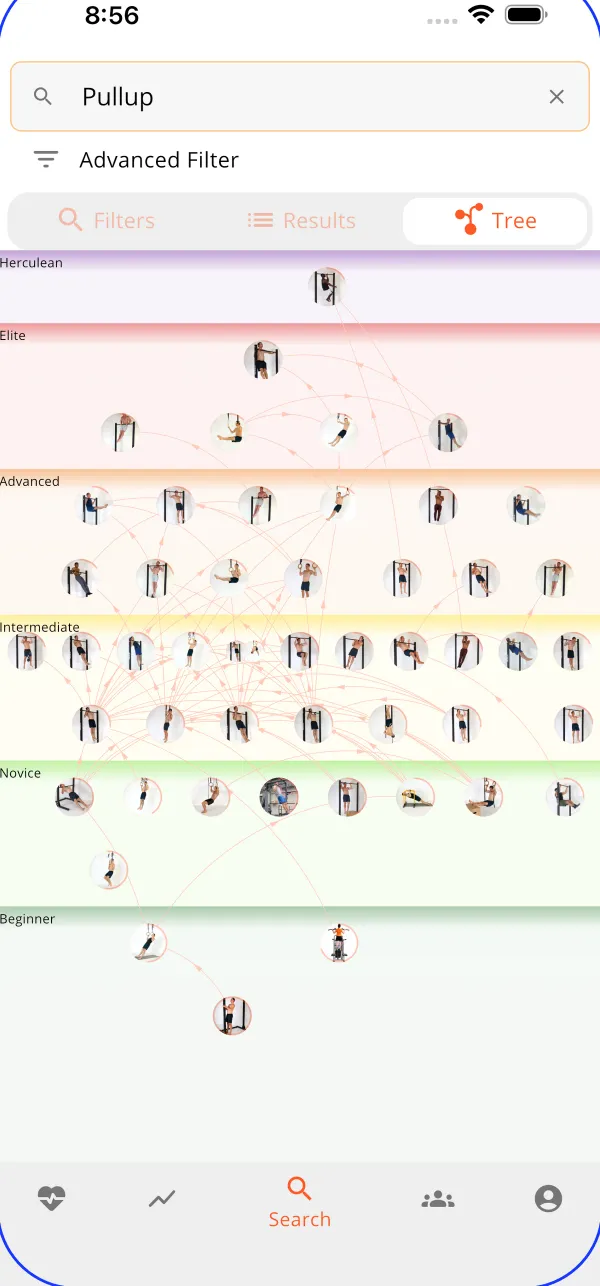
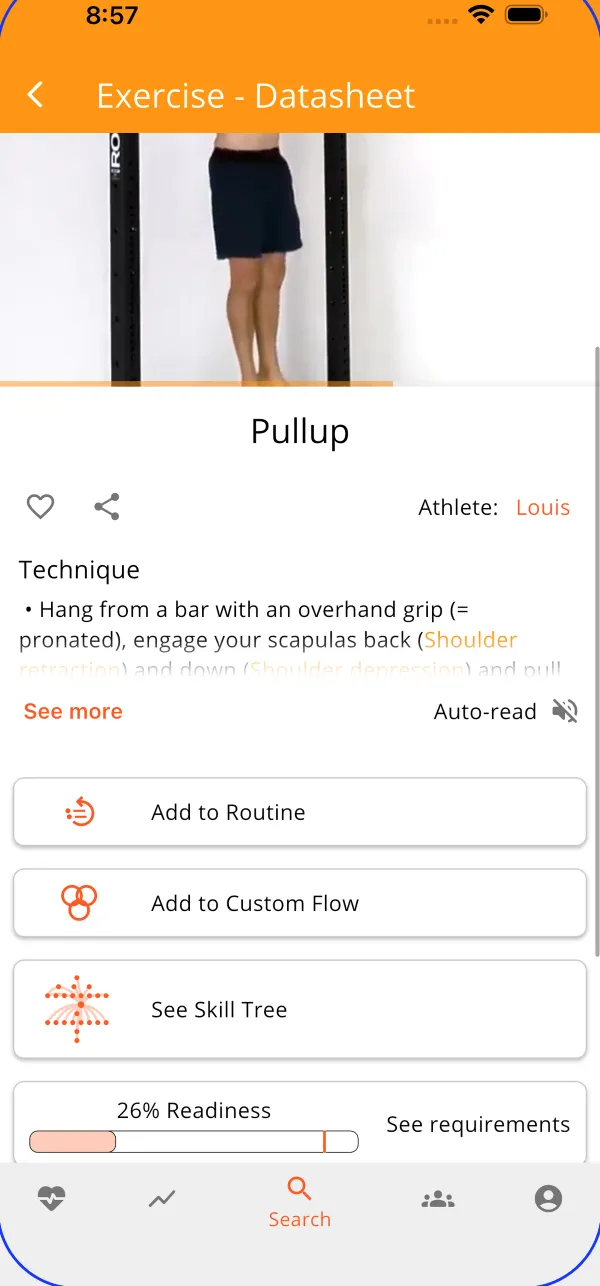
Open the exercise library and find a skill you’ve been dreaming of, whether it’s a push-up or a front lever. On the exercise datasheet, find and open the skill tree. From here you’ll find easier variations below the selected exercise, and harder variations above the selected exercise. By creating skill trees, we did the mundane work of researching for you, so you can spend more time getting gains!
Every skill tree starts at the bottom, for example: the pull-up skill tree starts with a dead hang, and the planche skill tree starts with an assisted version. Several of our users who are new to fitness or returning from an injury appreciate that we offer variations that are achievable for all levels, but if you’re a seasoned athlete, most skill trees have an advanced skill at the top, such as the muscle-up, handstand, or back lever.
Let The Progressions Find You
Each session gives a suggested number of reps, weight, or time based on the stats of your logged experience. When you’ve logged at least 30 reps of a bodyweight skill in one session (or 60 seconds for a hold), you have now reached mastery level and the app will automatically propose harder progressions for you.
Readiness: Insight to where you’re at
Suppose you’ve been staying consistent and you’re getting about 20 reps per session of your favorite exercise but you’re feeling ready to train for more already. You head to the exercise skill tree and scroll up to find your next skill to tackle! Click on the next skill you want to conquer, and below the skill tree button you’ll find an estimate that shows how close you may be to your next goal! This calculation is based on your experience level with all the exercises that work similar muscles and joint movements, and represented by a percentage of readiness. To view your data even further, click on the readiness stat to go to the “requirements” page which gives you a reading of your progress of the joint movements required for your next skill, so you know what you need to train to make your gains!
Hungry to know how Calistree can guide your fitness journey? Click here. Ready to create your account and dive into a better you? Click here.
What users say
- ★★★★★
Seems to be different from any other fitness apps that I tried until now. First of all it lets you build a program matching your equipment with a really fine granularity so that you can, for example, just exclude a single elastic band from your equipment. Second, it entails a tree map of the dependencies between every exercise so that you can actually reach a goal by progressing up. Only thing that is not clear for now is the combination of some exercises. on track to be the best fitness app.
- ★★★★★
The perfect app and exactly what I was looking for! I love how you can see the pathway for each skill via the skill tree. Props to the developer for actually make the free version extremely accessible and not limiting like basically every other app! No ads as well! You just don’t get apps like this anymore where the developer is truly making it for the people instead of money!
- ★★★★★
Best workout app ever. Love how exercises are organized into skill trees for each muscle group. You can drill into any muscle group and see the joint movements, muscles and exercises it involves. For each exercise the app tells you how ready you are or how well you have mastered it. For exercises you don't find you can create a custom exercise and even submit it to be added to the official app exercises. There's so much flexibility in this app it's insane. I could go on, but I'm running out of c
Questions
Do I need to know calisthenics to use the skill trees?
No. Pick an objective such as pull-up, handstand or front splits and the tree does the ordering. Your routine starts at the step you are ready for and proposes the next one when you master it.
Does the app unlock the next step by itself?
It proposes the next step when you master the current exercise, and you accept it or keep what you have. Nothing is locked: you can look at, or attempt, any exercise at any time.
Which skills have a skill tree?
Every exercise in the library has one, since the tree is made of the links between exercises. The objectives listed on this page are the ones with the longest paths, from a first regression all the way to the skill.
Can I see the skill trees without installing the app?
Yes. Every exercise page on calistree.app shows its skill tree, with the easier and harder variations, and links to each of them.